
Download SopCreator – AI‑Powered SOP Writer, Free PDF Export, Low‑Cost Statement Tool
Overview
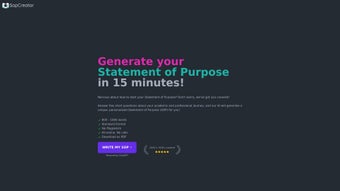
SopCreator is an AI‑driven web application built specifically for students, professionals, and education consultants who need to craft a compelling Statement of Purpose (SOP) quickly and affordably. By guiding users through a series of targeted questions—covering academic background, work experience, extracurricular achievements, career ambitions, and the universities they wish to target—SopCreator assembles a fully structured, plagiarism‑free SOP in roughly fifteen minutes. The generated document follows the industry‑standard format, beginning with an engaging introduction, moving through academic and professional narratives, highlighting fit with the chosen program, and concluding with a strong closing paragraph.
In addition to SOPs, the platform offers a supplementary module for creating Letters of Recommendation, making it a one‑stop solution for application packages. The service is hosted entirely online, eliminating the need for installations, and it provides a downloadable PDF for easy submission. Priced at just $3 per SOP, SopCreator positions itself as a budget‑friendly alternative to costly writing services while still delivering AI‑verified originality.
Although the tool lacks university‑specific customization and collaborative editing features, it compensates with a clear step‑by‑step workflow that reduces writer’s block and ensures consistency across multiple applications.
Key Features & Benefits
- AI‑Generated SOP Drafts: Real‑time content creation based on user responses, delivering a unique document every time.
- Standardized Format: Includes introduction, academic history, professional experience, extracurriculars, university fit, and conclusion.
- Plagiarism‑Free Guarantee: Built‑in similarity checker ensures the output is original and safe for academic review.
- PDF Export: One‑click download of a print‑ready PDF that meets most university submission guidelines.
- Letter of Recommendation Helper: Optional module that drafts concise, persuasive recommendation letters.
- Low‑Cost Pricing Model: Flat fee of $3 per SOP makes it accessible for students on a tight budget.
- Online Hosting: No software download required; works on any modern browser.
- User Testimonials: Real‑world feedback displayed on the site to build trust and demonstrate effectiveness.
- Consultancy Support: Packages tailored for educational consultants who manage multiple client applications.
Beyond the listed capabilities, SopCreator’s AI engine continuously learns from successful SOPs, gradually improving tone, coherence, and relevance. The tool also incorporates a keyword‑density analyzer, helping users align their statements with the specific buzzwords that admission committees often look for. Because the platform is web‑based, updates are rolled out automatically, ensuring users always benefit from the latest algorithmic enhancements without manual patches. The simplicity of the interface—clean forms, progress bars, and instant preview—means even first‑time applicants can produce a polished SOP without hiring a professional writer.
Installation, Usage & Compatibility
SopCreator eliminates the traditional installation hurdle by operating entirely in the cloud. To begin, users simply navigate to the official website, create a free account, and select “Create New SOP.” The onboarding wizard then presents a series of concise prompts: personal details, academic achievements, work experience, extracurricular activities, future goals, and preferred universities. As each answer is entered, the AI engine processes the data and drafts corresponding sections of the SOP in real time. Users can preview the draft, make minor edits directly in the browser, and once satisfied, click the “Download PDF” button to receive a ready‑to‑submit file.
Supported Platforms: Because SopCreator runs on a web server, it is compatible with all major operating systems, including Windows 10/11, macOS Ventura and later, Linux distributions, as well as mobile browsers on Android 9+ and iOS 13+. The responsive design adapts to tablets and smartphones, allowing users to craft SOPs on the go. No additional plugins or JavaScript extensions are required beyond a modern browser (Chrome, Edge, Firefox, Safari).
For users who prefer offline access, a temporary “session save” feature lets you bookmark the current URL; however, the platform does not offer a full autosave or collaborative editing mode, so it is advisable to copy the draft to a local document before closing the browser. Security is handled via HTTPS encryption, and all personal data is stored only for the duration of the session unless the user opts into the optional account‑based history feature. This approach balances privacy with convenience, ensuring that sensitive academic information remains protected while still providing a seamless, frictionless experience.
Pros, Cons & Frequently Asked Questions
Pros
- Fast SOP generation—complete drafts in ~15 minutes.
- Very low price point ($3 per SOP) compared with traditional writing services.
- Fully online; works on any device with a modern browser.
- Plagiarism‑free output with built‑in similarity check.
- PDF download ready for university submission.
- Additional Letter of Recommendation module adds value.
Cons
- Limited to a single, generic SOP template; no university‑specific customization.
- No collaborative editing or real‑time sharing features.
- Lacks a human‑review option for nuanced feedback.
- No autosave; users must manually copy content before leaving the page.
- Customization beyond the standard sections is minimal.
Frequently Asked Questions
How long does it take to receive a finished SOP?
The AI engine typically produces a complete draft in about fifteen minutes after you answer all the guided questions.
Is the content truly original and plagiarism‑free?
Yes. SopCreator runs each generated SOP through an internal similarity detector and rewrites any flagged passages to guarantee originality.
Can I customize the SOP for each university I apply to?
The tool follows a standard structure and does not offer university‑specific templates. You can manually edit the draft after download to add university‑specific details.
Do I need to install any software?
No installation is required. SopCreator runs entirely in the browser, making it compatible with Windows, macOS, Linux, Android, and iOS.
Is there a refund policy if I’m not satisfied?
SopCreator offers a 48‑hour money‑back guarantee. If the generated SOP does not meet your expectations, you can request a refund within that window.
Conclusion & Call to Action
Overall, SopCreator delivers a pragmatic balance between speed, cost, and quality for anyone who needs a solid Statement of Purpose without the expense of a professional writing service. While it does not replace the nuanced feedback a human editor can provide, its AI‑driven engine reliably produces a coherent, well‑structured draft that can serve as a strong foundation. The $3 price tag, coupled with instant PDF export, makes it especially attractive for budget‑conscious applicants and consulting firms handling multiple client submissions. If you’re ready to accelerate your application timeline, eliminate writer’s block, and receive a plagiarism‑checked SOP in minutes, SopCreator is a worthy addition to your toolkit.
Click the button below to start your free account, answer a few quick questions, and download your first AI‑crafted SOP today. Remember, the faster you act, the sooner you can polish and submit your application package.
Get Started with SopCreator – Only $3 per SOP





